How to secure your website from hackers

M Chetmars
Author
Not too long ago, people didn't think much about website security. You would start a new site, work on the content and SEO, and maybe add a couple of plugins "just in case." But that world isn't around anymore.
Websites aren't just digital brochures anymore. They are also access points to private customer information, payment systems, internal tools, and important business operations. Hackers are aware of that.
The Threat Landscape Has Changed

In Australia alone, cybercrime has increased drastically in the past few years. According to the ACSC (Australian Cyber Security Centre), a cyber attack is reported every 6 minutes. And small to mid-sized businesses are among the most targeted, not because they’re high-value, but because they’re often low-defense.
Hackers don’t always go after giants. Sometimes, a simple form submission or an outdated plugin is all they need to breach a system.
Table: What’s at Risk When Website Security Is Ignored
Security Oversight | Potential Impact |
No SSL (HTTPS) | Data intercepted, browser warnings, SEO penalty |
Weak admin passwords | Brute-force attacks, site takeover |
Outdated plugins or CMS | Exploitable vulnerabilities, remote code execution |
No regular backups | Total data loss after attack |
Lack of monitoring | Delayed response, deeper damage |
It’s Not Just About “Getting Hacked”
One of the biggest misconceptions is that if you’re a small business, hackers won’t care. That’s simply not true. A compromised site can:
Infect your visitors with malware
Be used to host phishing pages targeting others
Get blacklisted by search engines and email services
Destroy customer trust, completely
Security isn’t a technical luxury. It’s a business survival layer.
In the next section, we’ll look at the most common vulnerabilities hackers actually look for, and how they get in through surprisingly simple doors.
Common Website Vulnerabilities Hackers Exploit
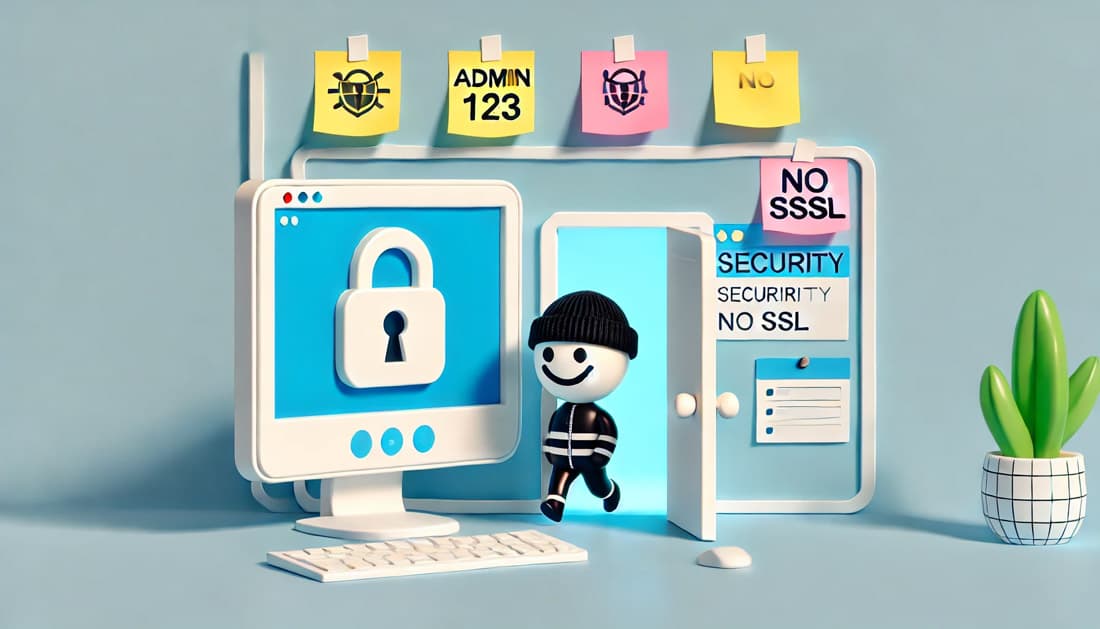
Despite all the buzzwords surrounding cybersecurity, most successful website attacks happen because of basic, preventable vulnerabilities. Hackers usually don’t need to “break in” — most of the time, someone left the door wide open.
1. Outdated CMS, Plugins, and Themes
It's like giving out your spare keys if you use an old WordPress plugin or leave a known security hole unpatched. Hackers can easily find and use these exploits.
2. Weak Authentication and Passwords
One of the most common entry points is a weak login system. No 2FA. No IP lockout. Passwords like admin123. And yes, these still exist.
3. SQL Injection and Cross-Site Scripting (XSS)
Poor input validation lets attackers inject malicious code into your database or manipulate how your site behaves for other users. These vulnerabilities are common in older custom-built sites that never had a proper security review.
You might want to have a look at this page: Database Administration Services.
4. Unprotected Admin Panels
Leaving /wp-admin or /admin public with no additional protection (like IP restriction or CAPTCHA) makes your control panel a sitting duck.
Real-World Case: When Weak Setup Almost Cost a Business Everything
A Melbourne-based service business (we won’t name them to protect their privacy) reached out to us after their site was defaced. The site had no SSL certificate, outdated CMS, and login credentials that were reused across other platforms.
The worst part? They had no recent backups.
They were running Facebook Ads and Google campaigns, all pointing to a site now marked “Not Secure.” New leads dried up overnight. We stepped in, cleaned up the breach, updated their CMS and plugins, added SSL, set up a WAF (Web Application Firewall), and configured automated backups.
They were lucky. A lot of businesses don’t catch it in time.
Common Vulnerabilities at a Glance
Vulnerability Type | Description | Risk Level |
Outdated Software | Unpatched plugins or CMS | High |
Weak Login Credentials | Easy-to-guess passwords, no 2FA | High |
SQL Injection | User input not sanitized | Critical |
XSS (Cross-Site Scripting) | JavaScript injected into front-end elements | Medium to High |
No HTTPS | Data transmitted in plain text | Medium |
Open Admin Access | No IP whitelisting or CAPTCHA | High |
Every website needs security, but not all of them are made the same way. The risks and ways to protect yourself can be very different depending on the platform, tech stack, and business model.
How to Secure Your Website: The Essentials
You don't need expensive tools or big business budgets to keep your website safe. All you need are good habits and basic knowledge.
Things to Do First:
Ensure that HTTPS is used and that your SSL certificate is valid.
Use strong passwords and two-factor authentication.
Make sure your CMS, plugins, and themes are always up to date.
Hide admin URLs and limit login attempts.
Do regular scans for malware and make backups every day.
For extra safety, use a web application.
Tools We Often Recommend
Tool/Service | What It Does | Why We Like It |
Cloudflare WAF | Filters malicious traffic, protects DNS | Lightweight and reliable |
Wordfence (WP) | Real-time security plugin for WordPress | Great visibility, active scans |
Sucuri SiteCheck | Online scanner for malware & blacklists | Fast and free initial checkup |
JetBackup / SnapShooter | Cloud-based backup & restore | Scheduled, encrypted backups |
Bitwarden / 1Password | Password management for teams | Encourages stronger credentials |
Securing Different Types of Websites

Every website needs to be safe, but not all of them are made the same way. The risks and ways to protect yourself can be very different depending on the platform, tech stack, and business model.
Here's how to keep different kinds of websites safe:
1. WordPress and Other CMS Platforms
Most targeted CMS in the world, and that's because so many people use it.
Stay with themes and plugins that you know are safe and are being updated.
Install well-known security plugins like iThemes Security, Sucuri, or Wordfence.
Don't let plugins update themselves unless you have good ways to stage and test them.
A lot of WordPress websites get hacked because they use nulled themes or old plugins from untrusted sources. This doesn't mean that the CMS itself is unsafe.
2. Custom-Built Sites (Laravel, Next.js, Node, etc.)
More freedom, but developers need to be more disciplined.
It's very important to check inputs and clean outputs.
For sensitive configuration values, use environment variables.
Limit file permissions on the server and keep environments separate.
Make sure that CI/CD pipelines use safe deployment methods.
One of our clients had a custom site that looked great, but it didn't have the right CORS policies or session handling. These problems were completely hidden from them until we did a full audit. The results shocked them.
3. E-Commerce Platforms (Shopify, WooCommerce, Magento)
Very sensitive because of customer data and payment processing.
Use payment gateways that follow PCI rules
Do regular checks for security holes and scans for vulnerabilities.
Set up firewalls for content delivery and DDoS protection.
Log and keep an eye on how users act to find fraud.
Even with hosted platforms like Shopify, third-party app integrations and custom code snippets can make them less secure.
If you're eager to know more about E-commerce, don't lose this article: top 100 e-commerce websites in the world.
Table: Security Priorities by Website Type
Website Type | Key Security Priorities |
WordPress | Plugin hygiene, admin hardening, reliable backups |
Custom-built | Secure coding, access control, CI/CD best practices |
E-Commerce | Payment protection, DDoS defence, audit trails |
SaaS Platforms | Role-based access, session security, API protection |
Static Sites | HTTPS, CDN protection, deploy-time integrity checks |
Tools and Services That Can Help
You don't have to know a lot about cybersecurity to keep your website safe, but you do need the right tools. There are good services that are easy to use for websites of all sizes and types, which is a good thing.
Here is a list of our top recommendations, based on what we actually use and set up for clients:
1. Web Application Firewalls (WAF)
These services protect your site from the internet. They stop bad traffic, stop brute-force attacks, and protect against common exploits.
Cloudflare WAF: Smart filtering, DDoS protection, and a free tier.
Sucuri WAF: Has strong malware detection and works with CDNs.
Astra Security: Easy to set up and has good support.
2. Malware Scanning & Monitoring
You can't just wait for something to go wrong. Active monitoring can help find suspicious activity early, sometimes even before users do.
Wordfence (for WordPress): Protects you from threats in real time.
SiteLock: Removes malware and runs scans automatically
Intruder.io: Scans custom sites for vulnerabilities all the time.
3. Backups and Rollback Systems
Things can still go wrong, even if your setup is very secure. The only thing that matters is how quickly you can get better.
JetBackup, SnapShooter, or UpdraftPlus: Scheduled, encrypted backups
Veeam or Acronis: For more advanced, multi-server recovery options
Always store backups in a different location (not on the same server)
4. Password Management and Authentication
Weak credentials. Use password managers that work with teams and require two-factor authentication (2FA) whenever you can.
LastPass Teams, 1Password, and Bitwarden
For infrastructure, use SSH keys to log in instead of a username and password.
For clients, explain and encourage them to use passphrases instead of passwords.
Table: Tool Types and What They Protect
Tool Category | Protects Against | Example Tools |
Web Application Firewall | SQLi, XSS, DDoS, bot traffic | Cloudflare, Sucuri, Astra |
Malware Scanners | Backdoors, malicious code injections | Wordfence, SiteLock |
Backup Systems | Data loss, irreversible file changes | JetBackup, SnapShooter |
Password Managers | Credential leaks, reuse vulnerabilities | Bitwarden, 1Password |
Monitoring Tools | Suspicious traffic, system anomalies | UptimeRobot, Intruder.io |
Next, we’ll explore what to do after an incident — how to respond, recover, and prevent it from happening again.
What to Do If You’ve Already Been Hacked
Let’s get something clear: getting hacked doesn’t mean you failed. It means you’ve been targeted — and now it’s time to act fast, smart, and calmly.
Whether your homepage has been defaced, your users are reporting strange behaviour, or Google has flagged your domain, the longer you wait, the worse it gets.s
Step 1: Take the Site Offline (If Necessary)
Take the website down for a short time if the breach is clear or still going on. Display a message about maintenance. This stops more damage and keeps your users safe while you look into it.
Step 2: Notify Your Hosting Provider and Check Logs
Most good hosts have plans for what to do in case of an emergency. Get in touch with support, look at the error logs, access logs, and last-modified timestamps. Look for strange traffic, changes to system files, or sudden increases in permissions.
Step 3: Change All Passwords and Revoke Access Tokens
Your CMS, FTP, database, email accounts, and admin panels are all included. Check any third-party integrations you use, like CRMs and payment platforms.
Step 4: Clean and Scan the Site
If you have a clean backup, use malware scanners like Sucuri or Wordfence to scan your computer. Review .htaccess, config files, and hidden PHP/JS injections.
Real-World Example:
One business in Melbourne came to us after their site was redirecting all users to a phishing page. The breach had gone unnoticed for weeks. They were still taking bookings — but users were seeing malware warnings.
We investigated, found malicious scripts hidden in unused theme folders, and traced the breach to an outdated plugin that hadn’t been touched in 9 months.
After we cleaned up, we helped them lock down the site again, make it harder for admins to get in, and set up constant monitoring.
Step 5: Notify Affected Users and Monitor for Repeats
You may have to tell customers if their data was involved, especially if you live in Australia and the Privacy Act applies. Transparency builds more trust than silence.
Then, keep a close eye on activity. Many hacks are just Phase 1. Once attackers know you’re vulnerable, they may try again.
Table: Immediate Post-Hack Response Checklist
Action | Why It Matters |
Take the site offline (if needed) | Prevents further spread or damage |
Contact the host and review logs | Identifies entry points and affected systems |
Change all credentials | Stops repeated access from breached accounts |
Run malware scans or restore backups | Cleans infected code or files |
Notify users if the data was affected | Legal compliance and transparency |
Set up monitoring going forward | Detects repeat attempts early |
Next up, we’ll explore how to stay secure in the long run — because fixing a hack is one thing, staying unhackable is another.
Staying Secure Over Time: Best Practices
Cleaning up after a cyberattack is stressful, expensive, and time-consuming. The good news? Most of them are preventable with consistent, proactive habits.
Security isn't something you do once; it's something you do all the time.
This is what a long-term website security plan should look like:
1. Schedule Regular Updates and Audits
At least once a week, update your themes, plugins, and CMS.
Look over the server's configuration files every three months.
Check user roles and permissions every few months.
Every six to twelve months, do a full scan for vulnerabilities.
Use Patchstack or ManageWP to automate this process or set a calendar
Set a recurring calendar reminder or use tools like Patchstack or ManageWP to automate this process.
2. Monitor Like a Hawk
Services like UptimeRobot or Pingdom can help you keep track of uptime.
Set up alerts to keep an eye on login attempts, traffic spikes, and file changes.
You can get daily or weekly summaries sent to your email or Slack.
3. Train Your Team (Yes, Even the Non-Techies)
A lot of breaches happen because someone clicked on something they shouldn't have. Teach your team to:
Know how to spot phishing emails
Don't use the same password more than once.
Don't ever add random plugins or extensions to your browser.
Before uploading files or changing site settings, ask.
4. Back Up, Test, and Repeat
At least daily backups for sites that are active
Put backups in the cloud on a different site.
Check to make sure that restore procedures work every three months.
5. Use a Security Policy and Response Plan
Having a written plan, even if it's simple, can help when things get tough.
Who’s responsible for responding
Where backups are stored
How users will be notified
What to do in case of breach or DDoS attack
Table: Long-Term Security Maintenance Checklist
Task | Frequency | Responsible Party |
CMS/Plugin Updates | Weekly | Developer / Site Admin |
Vulnerability Scan | Every 6–12 months | Security Consultant |
Backup & Restore Testing | Quarterly | DevOps / Technical Team |
Staff Security Training | Bi-annually | HR / Management |
Policy & Procedure Review | Annually | CTO / Management |
Final Thoughts: Security Is a Mindset
Security isn’t a one-time setup. It’s not a plugin, or a checklist you run through once a year. It’s a mindset — one that needs to live in every part of your business: design, development, content, and communication.
We’ve worked with businesses that didn’t think they were targets — until they were. We’ve also worked with companies who had beautiful, modern websites but shocking internal security holes. (And no, we won’t name them — out of respect for their privacy.)
The truth is, hackers don’t care how “small” or “new” you are. If you’re online, you’re on the radar.
What matters is how ready you are.
Whether you're building your first site, maintaining a platform, or scaling your digital presence, start treating security not as a cost, but as a core business function.
It saves you from the worst day your company could face.
If you want to secure your biz, you can call us. We have a free Software Consultancy session for you that absolutely will help you.
FAQs: How to Secure Your Website from Hackers
1. What’s the easiest way to start securing my website?
Start with the basics: enable HTTPS, use strong passwords, update everything regularly, and install a security plugin if using a CMS like WordPress.
2. Do I need a Web Application Firewall (WAF)?
If your site handles user data or payments, yes. A WAF adds a critical layer of protection against common attacks like SQL injection or DDoS.
3. How often should I back up my website?
Daily, at a minimum. If your site changes frequently or handles orders, more frequent incremental backups are recommended.
4. What should I do if someone hacks my site?
Take it offline, tell your host, change all your passwords, scan it or restore it from a backup, and keep an eye out for more attacks. Tell users if their data was made public.
5. Is it possible for a website to be completely safe?
There is no such thing as a bulletproof system, but you can greatly lower the risk and be ready to deal with problems if they happen by taking proactive steps and staying alert.

Admin
Mostafa is a Wordsmith, storyteller, and language artisan weaving narratives and painting vivid imagery across digital landscapes with a spirited pen, he embraces the art of crafting compelling content as a copywriter, and content manager.
Comments

Wow, it’s wild how much websites have changed

Based in
Melbourne, Australia
Your software dev partner, smooth process, exceptional results
Contacts
contact@flamincode.com.au
© All rights reserved to Flamincode