Best AI Tools for Making Presentations

M Chetmars
Author
If you’ve ever spent an entire evening fighting with layouts or resizing text boxes for the hundredth time, you know the pain of presentation design. For years, making slides meant wrestling with templates, formatting charts, and rewriting headlines until they finally looked decent.

Then AI came — and it changed everything.
You can now write a few sentences about your topic, and an AI tool can make a whole presentation in just a few minutes. It will include slides, visuals, structure, and even notes for the speaker. These tools aren't just useful; they're changing the way professionals share ideas. AI presentation makers can now give you a polished starting point faster than ever before, whether you're making a pitch deck, an educational lecture, or a project update.
Of course, no AI tool is perfect. Some produce bland designs; others misread your tone. But the speed, structure, and inspiration they give you can save you hours of work. AI tools help you see ideas right away, turning vague ideas into something real, even if you plan to give the project to a human designer later.
Before diving deeper, here’s a quick comparison of the best AI tools for making presentations right now.
Comparison Table: Best AI Presentation Tools (2025)
Tool | Best For | Key Features | Free Plan | Output Quality |
Beautiful.ai | Business professionals | Smart templates, AI formatting, brand consistency | Yes | ★★★★☆ |
Tome | Storytelling & pitch decks | Text-to-presentation, AI imagery, modern design | Yes | ★★★★★ |
Gamma | Designers & startups | Auto layout, live editing, AI writing | Yes | ★★★★☆ |
Decktopus | Quick business slides | AI content generator, templates, citations | Limited | ★★★☆☆ |
Canva Magic Presentation | Visual creators | AI text-to-slide, image & video integration | Yes | ★★★★☆ |
SlidesAI (Google Slides add-on) | Google Workspace users | Text summarizer & slide generator | Yes | ★★★☆☆ |
Pitch.com AI | Teams & startups | Real-time collaboration, brand kits, analytics | Yes | ★★★★★ |
How AI Is Changing the Way We Present
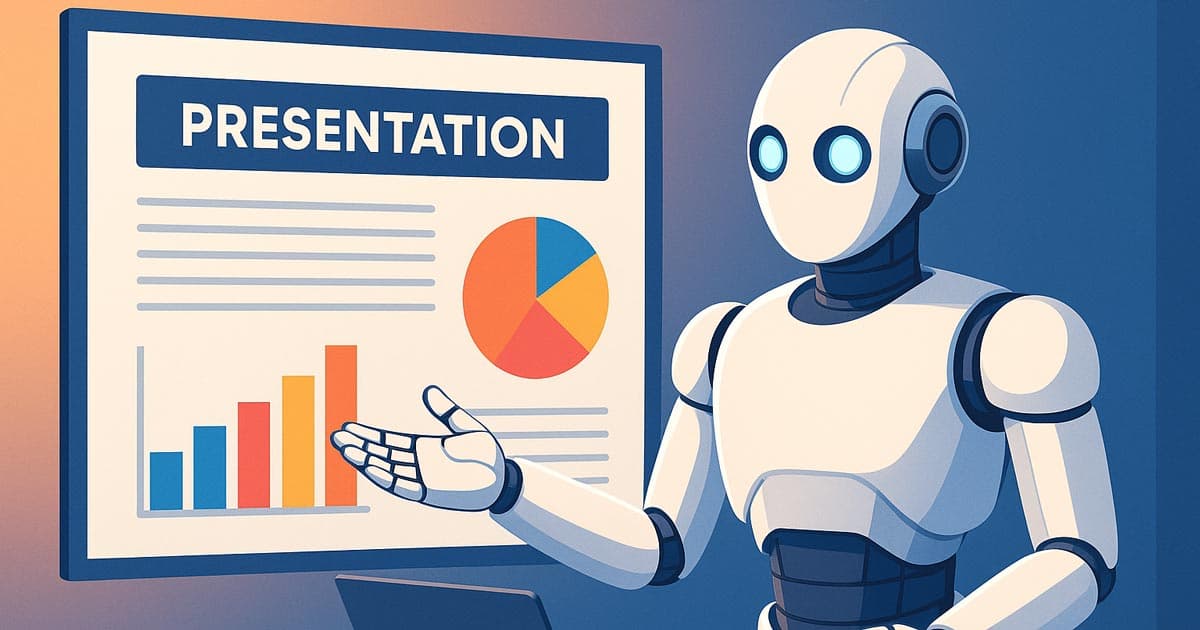
The idea of “AI presentations” might sound like a gimmick at first — but it’s actually one of the most practical uses of generative technology today.
Think about how a regular presentation is put together. You begin with a rough draft or outline. After that, you pick a template, make slides, add pictures, format text, and finally change the flow. Most of these steps can now be done automatically by AI tools.
This is what they do behind the scenes:
Recognising structure: They look at your topic and suggest a logical order for your slides: introduction, body, and conclusion.
Design balance: The AI uses rules for spacing and alignment to make sure your slides look like they all go together.
Content generation: Some tools write text, while others turn articles or meeting notes into bullet points.
Visual pairing: AI can automatically pick out icons, stock photos, or even make its own images that go well together.
For instance, if you type "A pitch deck for a sustainable fashion startup," a tool like Tome will quickly make a 10-slide presentation with headlines, pictures, and short, professional-sounding text.
The biggest advantage? You don’t start from zero.
AI gives you a fully structured draft that you can refine, rearrange, and polish. You can put your energy into telling stories instead of staring at a blank slide, which is what really matters.
But AI still doesn't understand emotions. It doesn't know who you're talking to or how to change the tone of a message to make it more persuasive. These tools are great for first drafts, but they shouldn't take the place of the creative choices that only people can make.
Read More: Best AI Based Website Builder: Smart Tools or Just a Starting Point?
A Closer Look at the Best AI Presentation Tools in 2025
Beautiful.ai
Businesspeople and consultants love Beautiful.ai. Its AI engine automatically enforces design rules, so there are no boxes that don't line up and no fonts that don't match. Every piece you add fits perfectly into place.
The platform's main focus is on smart templates that change as you change the content. You can bring in your company's brand colours and fonts, and the AI will make sure that every slide matches them. It's great for business presentations, reports, and internal meetings where consistency is more important than style.
Pros: Designs that are sleek, easy to brand, and save time with automation.
Cons: Not very flexible when it comes to creativity; the strict formatting rules make it impossible for users to make manual design changes when they need to.
Best for: Business reports, financial updates, project summaries.
Tome
Tome is the storytelling superstar. Instead of editing slides one by one, you simply type your topic or paste your notes—and Tome turns them into a visual story. Its text-to-presentation feature uses natural language processing to build coherent slides that actually make sense.
Tome also integrates with DALL·E-like image generation, letting you create visuals that match your narrative. It seems more like writing an interactive article than making a slide show. The results look modern and alive, with lots of media and subtle animations.
Pros: Beautiful graphics, easy to use, great for telling stories.
Cons: It still needs some manual tweaking to get the tone and accuracy just right. Also, when you export it to traditional formats like PowerPoint or PDF, it can lose some of its interactive polish.
Best for: New businesses, creative professionals, and pitching products.
Gamma
Gamma does things a little differently. Instead of just focusing on automation, it combines AI writing with flexible editing. You can make an outline and then tell the AI to add more slides, change the wording, or change the tone.
The biggest selling point is its real-time collaboration. Just like in Google Docs, teams can edit, comment, and improve things together. The only difference is that the design is done automatically. Gamma is great for both designers and marketers who want a polished look without having to do a lot of work.
Pros: A modern look that works well with teams and AI writing built in.
Cons: There aren't many ways to customise the slides, which can make them look the same. Users often say they have to do a lot of editing to avoid a generic "template" look.
Best for: Agencies, designers, and new businesses.

Decktopus
Decktopus is all about speed. You type in your topic, and the AI fills each slide with text, titles, and citations that are relevant to it right away. It even suggests pictures and icons to make things clearer.
It's a great choice for professionals who need something that looks good in a hurry, like last-minute client pitches or quick reports. But it doesn't have a lot of design options, and the customisation options are basic.
Pros: It makes content quickly, has citations, and has good templates.
Cons: Repetitive visuals, limited advanced editing; AI-generated citations require strong human validation and are often superficial.
Best for: Quick business presentations, drafts, or student work.
Canva Magic Presentation
If there’s one name that nearly everyone knows in design, it’s Canva—and its new Magic Presentation feature is one of the most practical AI additions yet. Instead of starting from a blank slide, you just type a sentence like “Quarterly marketing results for 2025,” and Canva generates a complete presentation structure—titles, content, and images included.
It’s not just a time-saver; it’s also incredibly flexible. You can change each slide by hand, add animations, and drag in pictures and videos from Canva's huge library of stock photos and videos. What happened? A polished, professional deck that makes you feel like you hired a designer.
Canva's best feature is that it strikes a good balance between automation and control. The AI gives you a structured start, but you can still change the look and feel however you want.
Pros: There are a lot of media files to choose from, you can work on projects with other people, and you have a lot of freedom when it comes to design. The new Magic Charts make it easy to combine data and visuals, which cuts down on the need to manually design charts.
Cons: AI copy can be generic, and you have to pay for premium visuals.
Best for: Teams, marketers, content creators, and teachers.
Read More: Best Free AI Tools for Web Design
SlidesAI (Google Slides add-on)
SlidesAI is the best AI option for Google Slides users who want to keep things simple. It works with Google Slides and makes clean, well-formatted slides out of text or long paragraphs.
If you have a full-page document or meeting notes, just copy and paste them into SlidesAI, and it will automatically summarise the main points. You can even set tone preferences (informative, persuasive, formal, etc.) and choose color themes.
It’s less about visual creativity and more about efficiency—perfect for corporate environments where design consistency is already set by templates.
Pros: Works directly inside Google Slides, fast text summarization.
Disadvantages: Not much room for design innovation; relies heavily on your current Google Slides template.
Best for: Teams, professionals, and teachers who already use Google Workspace.
Pitch.com Artificial Intelligence
Pitch.com was already a great tool for working together on presentations, but its new AI features make it even better in 2025.
Pitch AI knows more than just how to make slides. It suggests a structure based on your topic, rewrites your notes into text that is ready for slides, and even suggests layouts that make things easier to read.
The way Pitch combines AI automation with teamwork is what makes it special. Multiple people can work together in real time, making changes while AI keeps the formatting and branding the same. There are also built-in analytics that keep track of how engaged people are with the presentation. This is great for startups trying to get money from investors or companies that want to see how well their teams are communicating.
Pros: Works well with others, gives smart layout suggestions, and lets you control your brand.
Cons: The learning curve is a little steeper, and small teams have to pay more for full-featured collaboration and branding tools.
Best for: Teams, agencies, and new businesses that want to deliver polished work.
What AI Can’t Do (Yet)
AI tools can make slides, write text, and even pick colours, but they still can't think like a person.
It's not just about the pictures in a great presentation; it's also about telling a story, convincing people, and timing.
AI doesn't know how to make a pitch memorable by knowing when to pause, what to stress, or how to build tension. It can suggest changes, but not how they will make you feel.
Here are some things that AI still has trouble with:
The personality of the brand: AI doesn't know how your company talks or what its culture is like unless it is trained to do so.
Emotional Flow: The difference between a moving keynote speech and a boring report is emotion, which AI can't copy.
Audience Awareness: AI can't read the room or change what it's doing based on who is watching.
Original Storytelling: It can change things that are already there, but it can't make up stories from its own experiences.
In short, AI makes the framework, and people add the spirit.
For now, the best presentations still come from a mix of the two.
How to Use AI Tools Wisely

The best presenters don't just let AI do everything; they know how to use it wisely.
This is a simple way to get things done:
Don't start with an outline; start with a prompt. Don't spend too much time thinking about your structure; just let the AI suggest one. A simple request like "A 10-slide pitch deck for a new eco-friendly app" is all you need.
Look over and change. Look over the slides that were made by AI. Use real examples, stories, and your own voice instead of filler text.
Add a visual identity. Use your brand's colours, fonts, and logo. A few small changes to the design by hand can make a big difference.
Make the Flow Better. Change the order of the slides, add transitions, and get rid of anything that is the same.
Use AI Again for Polish. Tools like Tome and Gamma let you ask the AI to make things clearer by rephrasing or shortening them.
Work with people. Give your team a copy of the draft that AI made. Their comments, especially about tone and accuracy, make it ready to be presented.
You should be in charge of creativity and clarity, while AI should take care of structure and speed.
Read More: Top 9 Most Used AI Tools in Australia +AI Websites
The Future of Presentation Design
The next generation of AI presentation tools will do more than just show slides. We can already see prototypes of systems that make presentations that change and adapt as you go along. These are decks that change based on what your audience is doing right now.
Here are some things that will happen soon:
Voice-to-Presentation: As you talk, AI makes slides for you.
Adaptive Layouts: Slides that change automatically based on how much you talk or how much time is left.
Personalised Storytelling: Presentations that change the way they sound or look depending on who is watching.
Data-Linked Updates: Charts that update in real time and are linked to live spreadsheets or APIs.
Virtual Presenters: AI avatars that can give your slides with natural speech and gestures.
Despite all that progress, the most successful decks in the future will still come from teams that mix AI efficiency with human intuition.
AI is here to make us faster — not to make us irrelevant.
Final Thoughts

It's almost too easy to design a presentation with AI tools. You don't have to worry about fonts, alignment, or bullet points anymore. Tome, Beautiful.ai, and Canva Magic Presentation are some of the tools that can make slides that look great in minutes.
But the best presentations, the ones that convince, inspire, and connect, still need people to be creative.
AI can help you structure your story, but it can't tell it. It doesn't know what makes your idea interesting or what your audience wants to know more.
So don't think of these tools as things that will replace your creativity; think of them as partners. While they take care of the boring setup, you can bring the energy, empathy, and purpose that make presentations memorable.
The best AI tools for making presentations are not the ones that do the work for you; they are the ones that work with you.
This is the end of this article. We hope you have enjoyed your time here. We're Flamincode, a Melbourne-based company with a variety of services, such as App Development. Connect with us through the provided options if you need any help or a consultant for your business. We help you go digital.
Frequently Asked Questions (FAQs)
1. Are AI tools for making presentations free to use?
Most of them have free plans that come with basic features. Tome, Gamma, and Canva all have free levels that are good for testing, but to get more advanced design and export features, you usually have to pay for them.
2. What is the best AI tool for pitch decks or startups?
Tome and Pitch.com are great for new businesses. They focus on storytelling, showing data in a clear way, and working together as a team, which is great for pitching investors.
3. Can AI make unique designs for my brand?
You can upload brand kits (colours, fonts, logos) to some tools, like Beautiful.ai and Pitch. The AI then automatically uses them on all of your slides.
4. Is it possible to change presentations made by AI?
You can change any part of an AI-made presentation. These are just starting points; feel free to change the text, images, and animations.
5. Will AI take the place of presentation designers?
Not likely. AI can't copy the strategy, emotion, and storytelling that designers add. AI is better at speed and structure, but people are more creative.

Admin
Mostafa is a Wordsmith, storyteller, and language artisan weaving narratives and painting vivid imagery across digital landscapes with a spirited pen, he embraces the art of crafting compelling content as a copywriter, and content manager.
Comments

AI is definitely making presentation prep easier, but it can't replace the personal touch in storytelling.

Based in
Melbourne, Australia
Your software dev partner, smooth process, exceptional results
Contacts
contact@flamincode.com.au
© All rights reserved to Flamincode