Quote Forms vs Contact Forms: Which One Does Your Service Website Need?

M Chetmars
Author
Many businesses do have a contact form on their website, but the enquiries they receive are still too vague to be considered.
Some visitors insert their name, phone number, email, and even a short message, but your team has to ask some follow-up questions: What do you need? Does this fit your needs? What is your timeline?
This only has one meaning: The form is not doing its job.
In this guide, we’re going to simply explain when you should use a simple contact form and when it's better for you to have a quote form.
Quick Answer:
When your website only needs to start a basic conversation, a contact form is enough.
But a quote form is better when you need more details of the project for a better response.
When to Choose Each:
Your Situation | Better Choice |
You only need basic messages | Contact form |
Your page is for general contact | Contact form |
Your team needs project details | Quote form |
Your pricing changes by scope | Quote form |
You offer several service types | Quote form |
Your team keeps asking the same questions | Quote form |
Choosing the right form is not about being short or long; it's about having enough information for your business to take the next step more efficiently.
Contact Form vs Quote Form: The Basic Difference
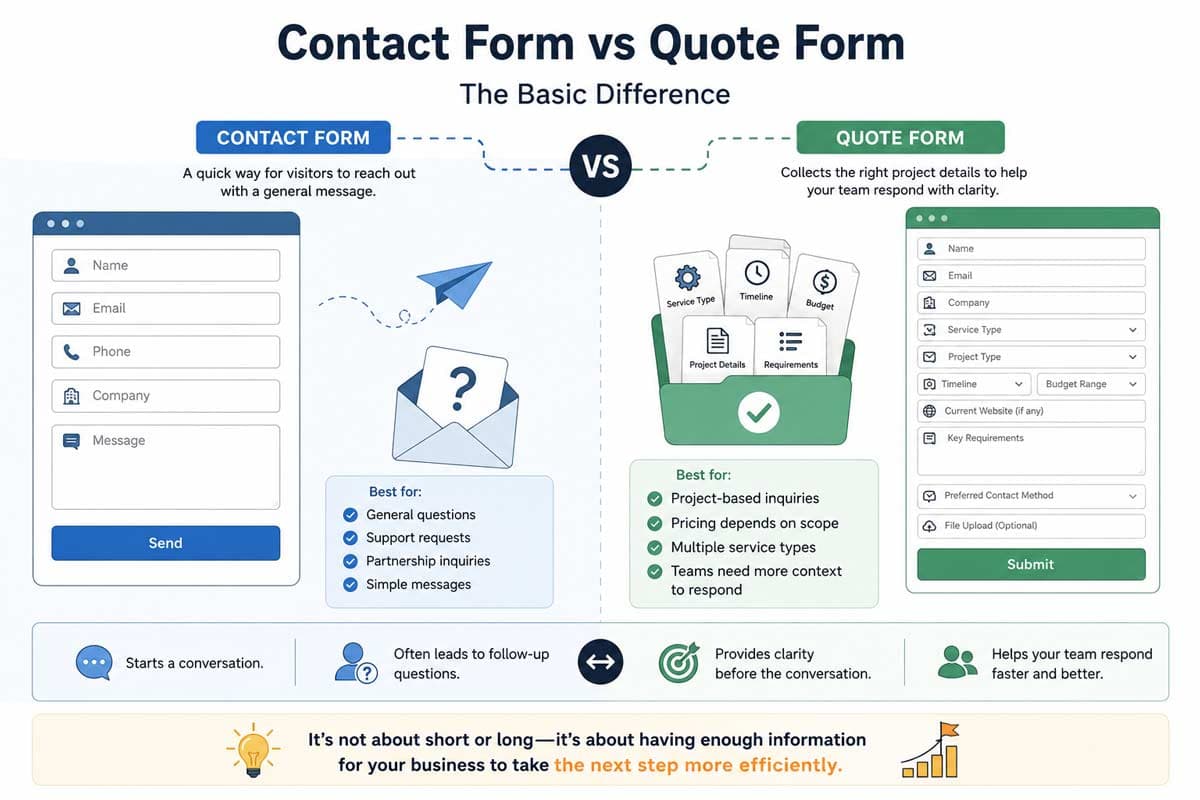
Contact forms are basically a shortcut for visitors to reach out to your business.
To fill out the form, you basically need details like name, email address, phone number, company name, and probably a message. If it just needs general questions, support messages, partnership requests, and simple service and enquiries, this works well.
Service businesses sometimes need more information, such as service type, project type, timeline, budget range, locations, current website URL, required features, and preferred contact method. The fields depend on the business.
For example, a construction company needs different information from a web design studio. A lawyer needs different details from a commercial repair service. A website development Team might need to know whether the request involves a new build, redesign, booking flow, ecommerce, integration, or custom backend change.
These types of forms should not be generic copy templates from another website; they should depend on the business process. And each field should help your team decide something practical and useful. There might be questions like: "Does it affect the price?" “Does it prepare the team before a call?”
If the answer is no, it shouldn’t be there.
When a Contact Form Is Enough
On many occasions, a simple contact form is the right choice, especially when your team does not need much information before a reply.
It usually happens when the business offers simple services, low enquiry volume, or a high-touch sales process where the first step is always a phone call. It can also be useful when the pricing is standard or when the business prefers to understand the request through conversation.
Generally, a contact form belongs on general contact pages. Not all the people who visit your website need a quote. Some of them only need support, invoice help, supplier information, media contact, or partnership details. For them, much of the information you are asking for on a complex form is unnecessary to fill out.
But how to understand which kind is better for your business? The answer comes in practical tests.
If you're working in a way that your team gets a short message and knows what to do next, then the contact form is the right option for you. But if your team needs more information and cannot respond properly without asking some basic questions, you need the more complex form.
When Your Website Needs a Quote Form
When the website needs to support your sales process before a human from your team gets involved, a quote form becomes a better option. This doesn't mean that the form should collect all the details, but in fact, it should gather the minimum information needed to make the next response something useful.
For most service businesses, the need becomes clear in two situations.
Your Team Keeps Asking the Same Questions
One of the clearest signs is that your team repeats the same follow-up questions. If your team often asks for the needed service type, location, timeline, current website address, and budget range whenever someone submits the form, you should really think about redesigning that form. Because if you don't, you're going to need more admins, and responses will get more time. It's like you always need someone to read all the messages and find what they lack, then ask questions again and wait for the answers.
The quote form fixes this problem by asking the essential questions before the submission part.
Your Pricing Depends on Scope
Contact forms work better when most inquiries follow the same process. But many service businesses do not work this way. For example, if a customer needs a redesign, the pricing is totally different from that of a customer who needs a custom development project.
So when the price depends on the scope, the form has to have more factors that shape the scope.
If you do so, you can filter simple requests from complex ones before replying. It also helps you understand how to reply to the request. It can be a quick email, a discovery call, or a detailed estimation.
How to Design a Quote Form Without Hurting Conversions
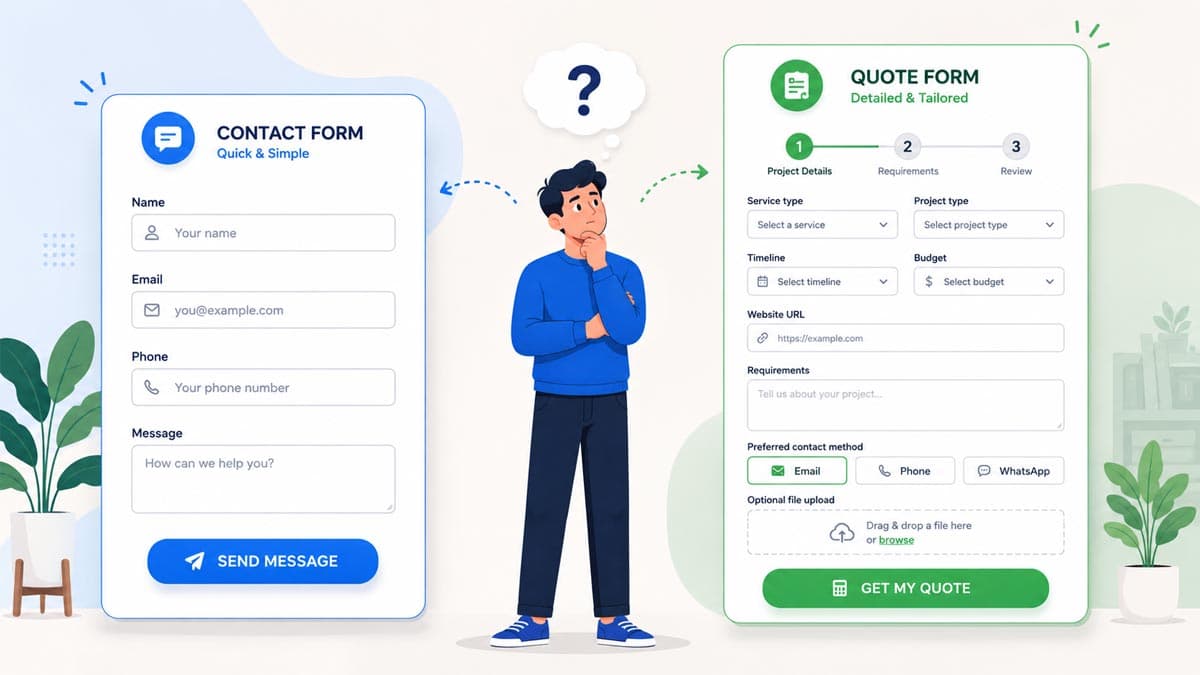
One thing that might make a quote form fail is asking too many questions too early and without a clear reason. A good design for form starts with restraint. Each field should have a reason for existence and something to do. If something doesn't help, remove it or ask about it later.
It's better to use multi-step formats for longer forms. A long single-page form can feel hard to answer, even if the questions are reasonable.
Another thing that can help a lot is using conditional logic. The form should fit with the visitor's choices. For example, when someone needs a redesign, there must be a field specified for them to put their website address. And if someone needs a new website from scratch, it doesn't have anything to do with that field.
There are also other things that you should ask about, such as budgets and timelines. Here's a little guide for you:
Question Type | Better Format |
Budget | Range options, plus “Not sure yet” |
Timeline | Timeframe options |
Service type | Dropdown or cards |
Project details | Short guided textarea |
Files | Optional upload field |
Something that might help you keep visitors focused and confident while answering your questions is using microcopy. a short line beside the field that tells them why that question matters.
For example, under a budget field, you might write:
“This helps us recommend the right next step, not lock you into a final price.”
These explanations make the questions more reasonable, and the visitor might already feel connected.
What Should a Service Business Quote Form Include?
The service business quote form should include the details that are needed to understand the request better and prepare the business for the best next response.
A practical starting point includes:
Contact details
Business name
Service needed
Project type
Project timeline
Budget range
Current website or project link, if relevant
Key requirements
Preferred contact method
Optional file upload
This template should not be fixed. It should have the right fields that affect the price fit and next steps.
Check the questions that your team already asks when receiving an inquiry and remove anything that doesn't affect a useful response, and then you will have only the important questions.
Which Form Works Better for Your Website Goal?
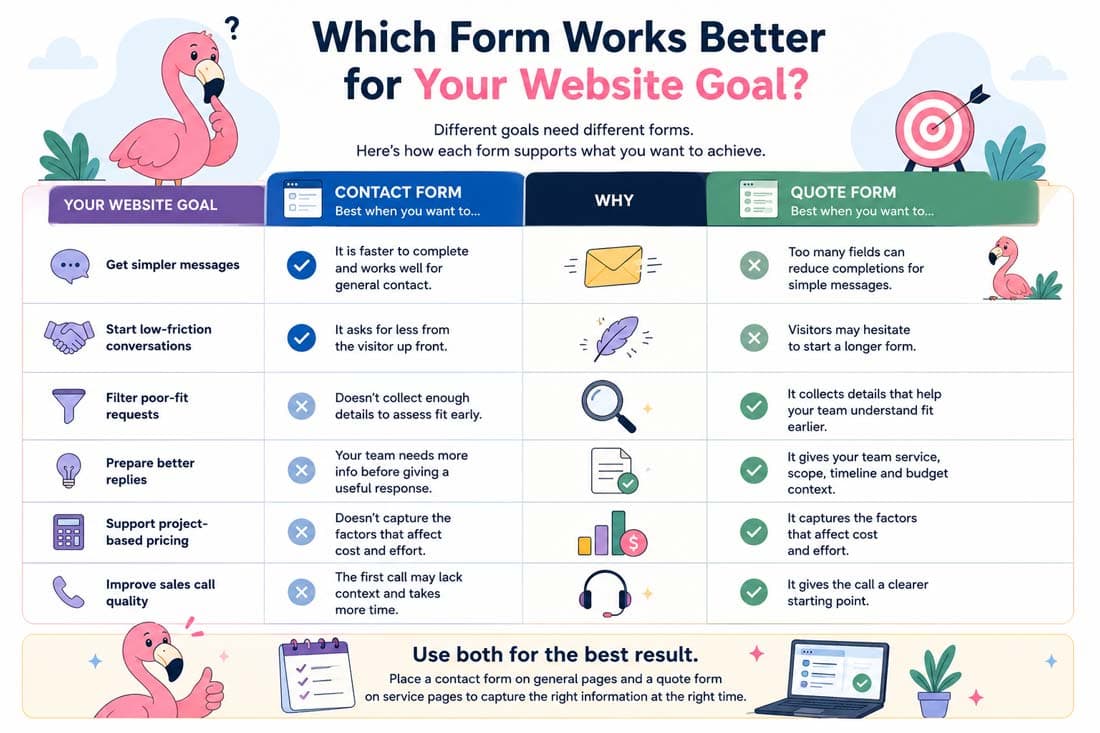
For less friction, you should choose a simple contact form. It asks fewer questions about the details, so people are more likely to complete it.
On the other hand, a quote form asks more detailed questions. So, naturally, fewer visitors are likely to finish it, or even start it. But when somebody completes it, you usually have a better context to give more useful responses.
So, it’s you who should decide which option is better for your business.
Website Goal | Better Form | Why |
Get simpler messages | Contact form | It is faster to complete and works well for general contact. |
Start low-friction conversations | Contact form | It asks for less from the visitor up front. |
Filter poor-fit requests | Quote form | It collects details that help your team understand fit earlier. |
Prepare better replies | Quote form | It gives your team service, scope, timeline, and budget context. |
Support project-based pricing | Quote form | It captures the factors that affect cost and effort. |
Improve sales call quality | Quote form | It gives the call a clearer starting point. |
For many websites, there is not just one correct choice. They can use a general contact form on all the pages, but use a quote form on the service pages. It is probably the best way for them to get the best result.
Examples of Quote Forms and Contact Forms
Now it’s time to check some good examples of practical contact forms and quote forms.
Quote Forms
A good quote form is simple and does the job effortlessly. It makes the visitor eager to complete it as soon as possible. Let’s see some of them.
spectralifestyle.com
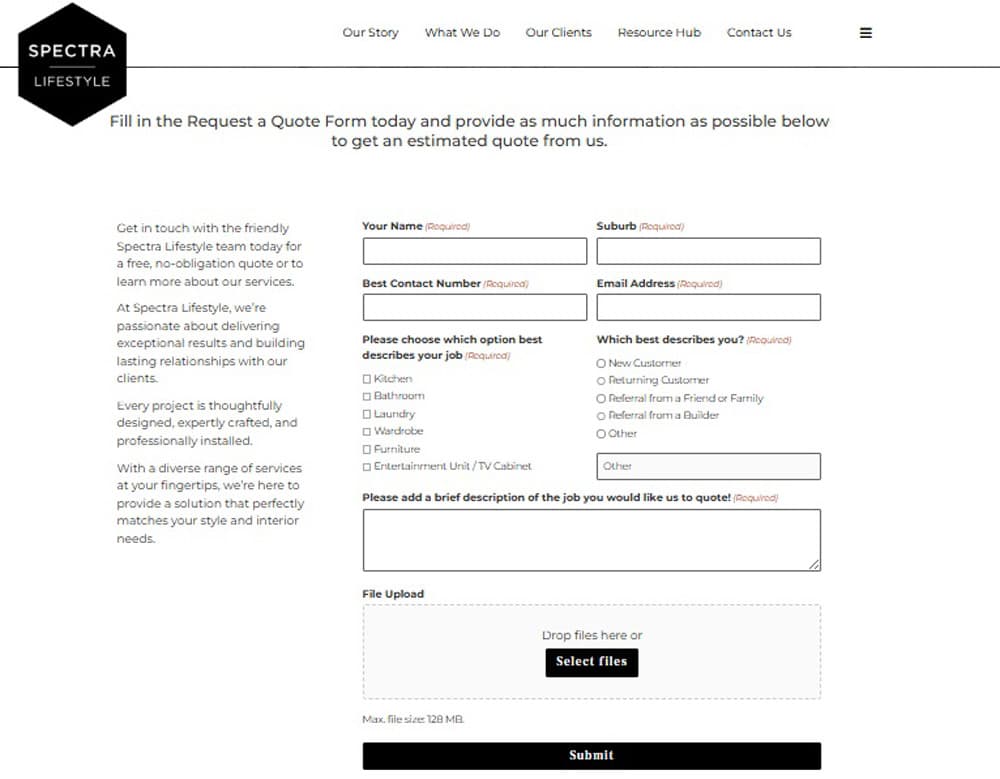
Least effort needed to complete this one. Users will not get lost, and even the strongest ADHD can’t stop them from filling it up. Well done spectralifestyle.com, for doing this.
www.allied.com

Warm, friendly, and real; something that builds trust in the eyes of many and make them confident enough to complete the form. A very convincing choice, suitable for bold names in the industry, like www.allied.com .
servicemasterclean
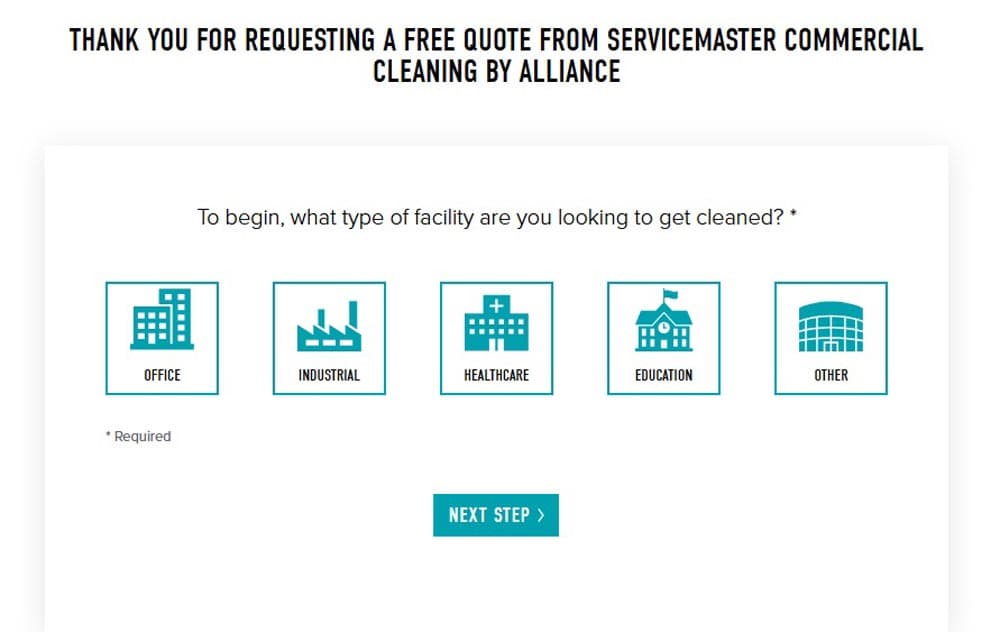
When you are into cleaning, you should have a clean form. That's exactly what servicemasterclean.com has done.
Contact Forms
Now it’s time to check out some contact forms.
www.marketingwithjay.uk
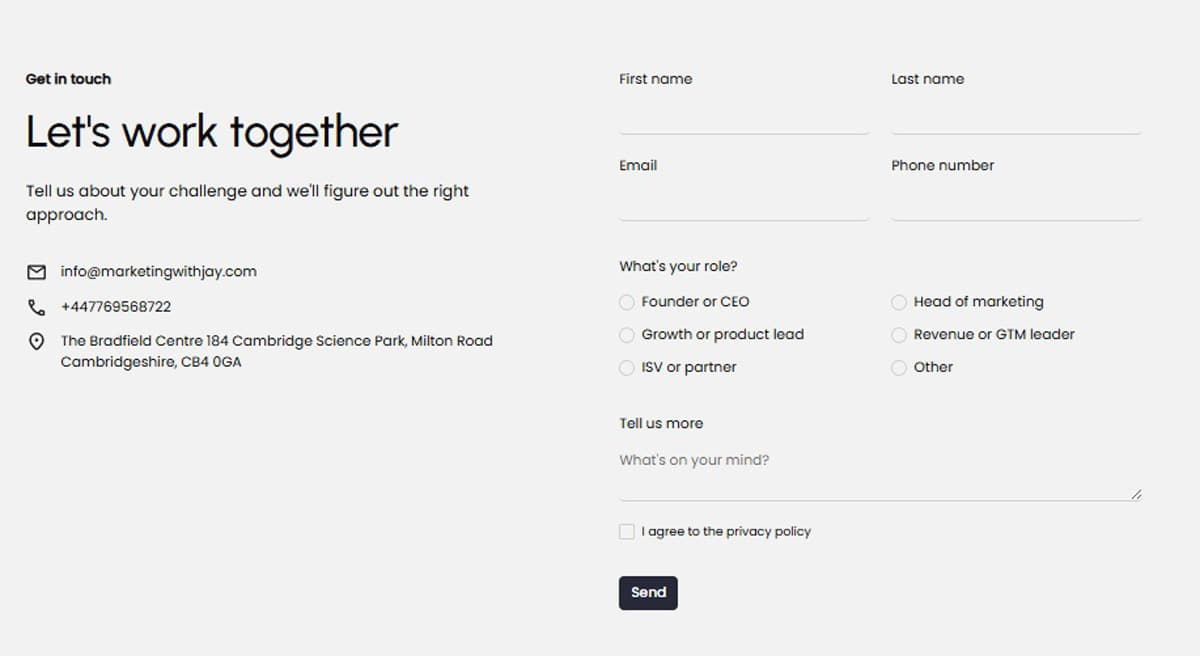
Simple, harmonic, sleek. Whatever a good contact form needs. A work of www.marketingwithjay.uk.
Flamincode
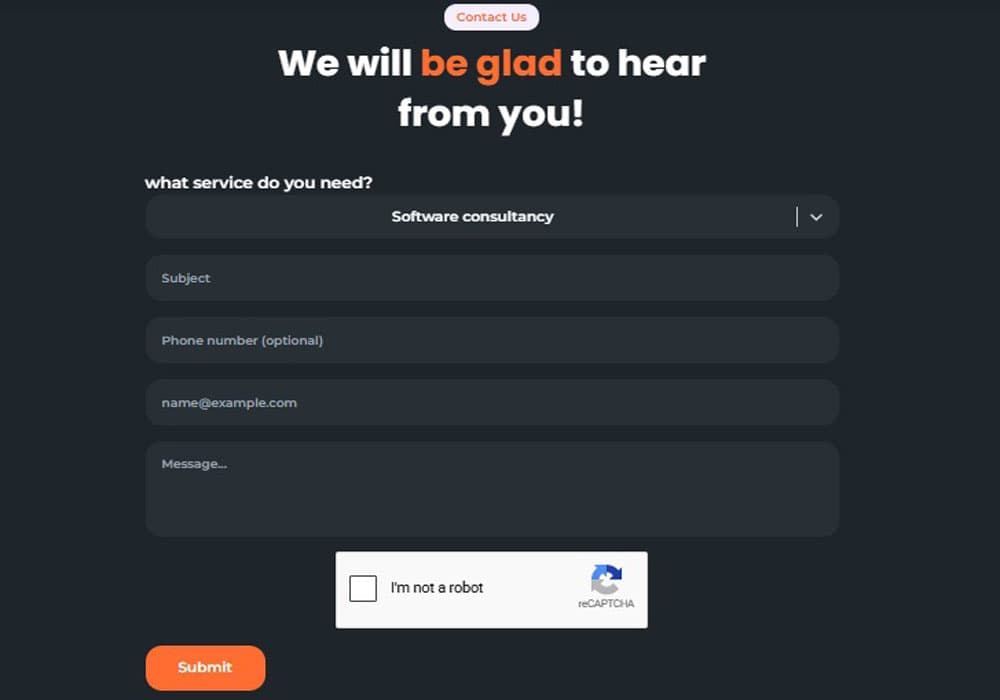
Warm, humane, practical. This one is made by us, and we will be really happy if you fill it out for your free consultation or any other services.
Need a Website That Matches Your Sales Process?
If your website creates low-quality enquiries and needs repeated follow-up questions, maybe it’s time to plan a better flow for your enquiries.
Flamincode helps you with all the details your website needs to sell more or make more leads; from designing an appealing website to small details like microcopy in your forms, you can count on us.
Check our Web Development page for more information or talk to us directly.
FAQs About Quote Forms vs. Contact Forms
What is the difference between a contact form and a quote form?
Contact forms are for gathering basic details so that visitors can get in touch with your business.
On the other hand, quote forms collect more detailed information so your team understands the request before replying.
What fields should a quote form include?
Quote forms usually have contact details, service type, project details, timeline, budget range, current website URL if relevant, and any other data that can be useful for a better response to the customers.
Should every service business use a quote form?
No. Contact forms work better for many businesses. It is only necessary for businesses with a high volume of enquiries, complex processes, or more diverse services.

Admin
Mostafa is a Wordsmith, storyteller, and language artisan weaving narratives and painting vivid imagery across digital landscapes with a spirited pen, he embraces the art of crafting compelling content as a copywriter, and content manager.

Based in
Melbourne, Australia
Your software dev partner, smooth process, exceptional results
Contacts
contact@flamincode.com.au
© All rights reserved to Flamincode