Best Websites for AI Video Generation

M Chetmars
Author
March 2026 Update: The AI video landscape has shifted from "clip generation" to "Full-Scene Coherence." We have updated this guide to include the latest capabilities of Google’s Veo and OpenAI’s Sora (Pro), focusing on their impact on long-form storytelling and 4K production standards in Australia.
AI video tools have completely revolutionised how creators, marketers, and businesses produce content. The days of needing cameras, lighting, actors, and expensive editing software for a prototype are fading fast. Now, you can prototype—or even fully produce—content right in your browser.
AI speeds up workflows and gives you new creative options, whether you're making animated ads, corporate training videos, or fun social media posts for Australia.

There are a lot of great websites that make AI videos, so you need to pick the right ones so you don't waste your time or credits.
In this full guide, we'll talk about the best platforms by looking at things like output quality, ease of use, style, and how they are used in the real world. Our goal is simple: to help you pick the right tool to speed up the process of making the content you need.
Comparison: Finding the Right AI Video Tool
Website | Best For | Key Strength | Limitation | Skill Level |
Runway | Cinematic video concepts (Gen-2) | High realism, strong motion controls, advanced image-to-video capabilities. | Requires experimentation and higher-end credits for long clips. | Intermediate–Advanced |
Pika Labs | Creative motion and quick ideas | Expressive, lively animation; fast rendering for social concepts. | Less control over fine texture and details than dedicated pro tools. | Beginner–Intermediate |
Synthesia | Corporate & training videos | High-quality, reliable AI avatars with excellent multilingual support. | Limited artistic flexibility; content is restricted to the presenter format. | Beginner |
HeyGen | Spokesperson & lip-sync videos | Highly accurate facial movement and easy voice cloning for localised ads. | Narrow focus on the presenter's content; creative scene building is limited. | Beginner |
Luma Dream Machine | Realistic motion and texture | Cinematic feel with dynamic camera work and excellent lighting simulation. | Still evolving, requires a deeper understanding of cinematic prompts. | Intermediate–Advanced |
Kapwing AI | Fast Social Media Videos | Integrated editing suite, fast templates, and automatic resizing for all platforms. | Not aimed at high realism; focuses on utility and speed over artistic depth. | Beginner |
Veed.io | Marketing Content & Editing | Easy-to-use editor combined with strong AI features like automatic subtitles. | Less control over the generative artistic style. | Beginner |
DeepBrain | Educational Videos & E-learning | Clean, professional, business-friendly output and comprehensive templates. | Limited creative range compared to motion-first generators. | Beginner |
Descript | Editing + AI Refinement | Strong for polishing interviews, script-based editing, and seamless voice repair. | Not a core generative tool (focused on post-production polish). | Beginner–Intermediate |
2026 Frontier: Beyond Simple Clips
While tools like Runway and Pika remain industry staples, 2026 has introduced a new tier of Generative Video Engines that solve the "consistency" problem.
1. Cinematic Coherence & Long-Form Narratives
The biggest breakthrough this year is the ability to maintain Character Persistence across multiple scenes. Models like Sora and Kling 1.5 now allow creators to generate 60-second shots where lighting, clothing, and facial features remain 100% consistent.
2. Physical World Simulation (Physics-Aware AI)
Early AI videos often looked "dreamy" or distorted. The current 2026 engines now feature Spatial Physics Awareness. This means that when an object moves in a video—like water splashing or a car turning—the AI calculates the gravity and fluid dynamics with near-perfect realism, making AI-generated content indistinguishable from B-roll footage for many Australian marketing campaigns.
AI Video: Why It’s Essential for Content Today
Video used to be the most expensive content format to produce. Even a simple 30-second clip often required a full production team. AI has completely flipped that script for modern content creation.
Now, small teams can explore ideas rapidly. Businesses can scale their content production without hiring huge crews. And creators can experiment with styles previously gated behind professional software and budgets.
AI video isn't just about saving time—it’s about creative liberation. You can test concepts, polish scripts, visualise ideas, and create full storyboards before committing to a costly production. For many Australian businesses, AI-generated content is already reliable enough for real campaigns, comprehensive training modules, and effective internal brand communications. This allows local marketers to be far more agile and competitive, lowering the barrier to high-quality output significantly.
The Power Players: Tools for Every Creator
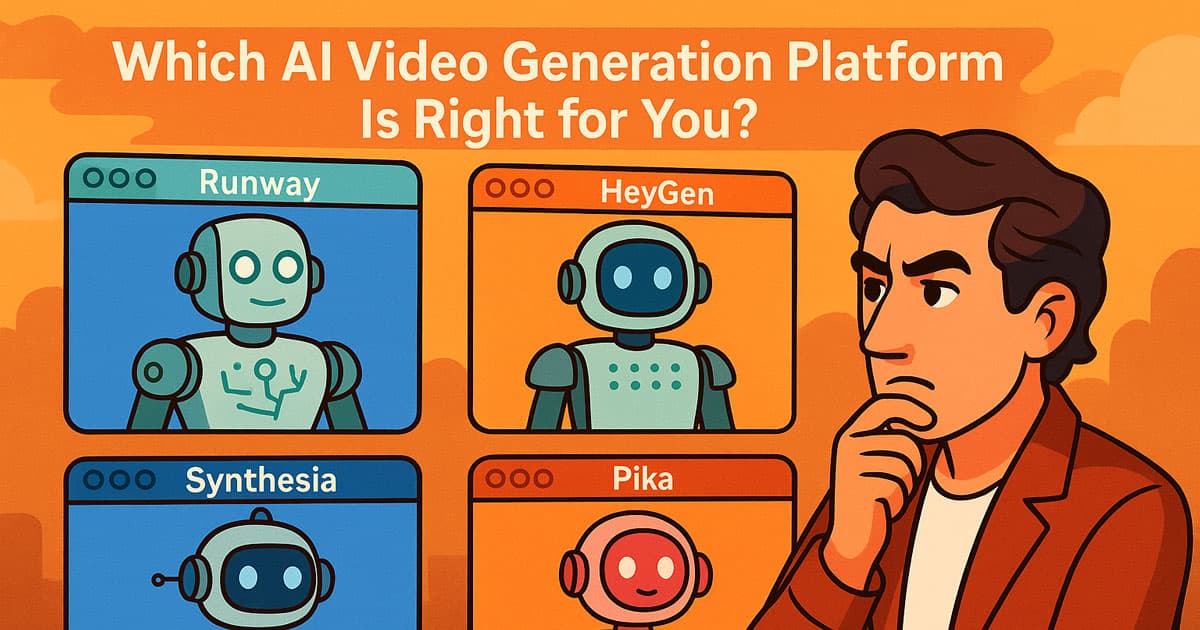
Runway: Cinematic Concepts Without the Camera Crew
Runway is renowned for producing some of the most visually stunning AI videos available via its Gen-2 model. It excels at complex motion, realistic lighting, textural details, and atmosphere, making it a favourite for creators aiming for a Hollywood-style look.
The platform offers powerful control tools. Users can refine movement using motion brushes, guide the generative model with specific reference images, or experiment extensively with various visual styles. If you need expressive, high-quality, story-driven content—or just a powerful prototyping tool—Runway is the standout choice for advanced users looking for creative depth.
Pika Labs: Fast, Playful, and Highly Creative
Pika Labs makes AI video generation accessible and fun. With quick text prompts, image-to-video tools, and lively, expressive motion styles, it's perfect for creators seeking immediate visual results without technical headaches.
Pika is especially strong for animated concepts, stylised characters, and highly engaging social-friendly visuals. While it might not always match the hyper-realism of Luma, its combination of speed and simplicity makes it immensely popular among beginners and casual users who need quick, compelling output that captures attention fast.
Read More: Best Books About AI Prompts Engineering
Synthesia: Professional AI Avatars for Corporate Content
For Australian organisations producing compliance training, onboarding modules, or instructional content, Synthesia offers smooth, studio-quality AI presenters. Its avatars speak clearly, maintain steady eye contact, and support dozens of languages, allowing for easy localisation of content across different offices or markets.
The process is simple: write a script, pick an avatar, set up your layout, and then export the video. It's the best place for content that needs to be clear and consistent, like quarterly updates from the CEO or big internal e-learning courses that can be repeated and scaled.
HeyGen: The Best for Lip-Sync and Spokesperson Videos
HeyGen is the best tool for AI spokesperson videos because it can lip-sync perfectly and make facial expressions that look real. It's great for digital ads, product explainers, or quickly making multilingual versions of content that already exists for international audiences. You can copy your own voice or the voice of an expert on the platform. This lets businesses keep a professional tone and consistent brand face without having to spend time in a studio, which makes personalised communication very quick and easy.
Kapwing AI: Quick Videos for Social Media and Marketing
Kapwing puts a lot of emphasis on speed and ease of use. Its built-in AI suite lets you make scripts, edit clips, add subtitles, and make videos that are ready for sharing on social media in just a few minutes.
It's not made for making movies, but it's great for short marketing videos and projects that need to be done quickly. This is important for keeping up with the fast, always-on demands of platforms like TikTok and Instagram Reels in Australia's competitive digital space.
Descript: The AI Editor for Polish and Audio
Descript is not a core generative tool, but its AI-powered editing features are absolutely essential for modern video workflows. Features like overdubbed voices, script-based editing, and transcription make it a powerful finishing tool. Descript makes sure that your final professional content has clear audio and a smooth visual flow when you use it with generative outputs from tools like Runway or Pika. It helps you improve your raw AI output without saying anything.
Strategy Focus: When to Use Which Tool

Choosing the best tool is often a strategic decision based on your content goals:
Marketing & Advertising Strategy
Goal: High volume, fast iteration (e.g., A/B testing ad creatives).
Best Tools: Kapwing AI and Veed.io for speed and editing integration. These allow for rapid creation of multiple variations for testing ad efficacy quickly.
Advanced Goal: Localised celebrity or expert endorsements.
Best Tool: HeyGen (for rapid voice and lip-sync cloning to personalise ads for different regions or demographics without re-shooting).
Corporate & Education Strategy
Goal: Consistent, reliable, and accessible delivery of information (e.g., employee safety videos, university lectures).
Best Tools: Synthesia and DeepBrain. These offer clean templates and professional avatars that minimise visual distractions and focus on information transfer.
Advanced Goal: Polishing existing recorded content.
Best Tool: Descript (to remove filler words, correct audio, and ensure the script matches the video perfectly, enhancing professionalism).
Integrating AI Video: Building the Modern Workflow
The most effective creators rarely use just one tool; they build a pipeline that leverages the specific strengths of each platform. This is where AI video generation truly transforms the workflow.
A typical professional pipeline looks like this:
Concept Generation (Runway/Luma): Use the most powerful generative models to create 3-5 second hero clips or establishing shots that require high realism.
Avatar Narration (Synthesia/HeyGen): Take the main script and use a dedicated avatar tool to create the spokesperson segments. This saves hours of filming and editing time.
Social Editing & Utility (Kapwing/Veed.io): Assemble the generated clips, add dynamic subtitles, resize the output for platforms like Instagram Reels or YouTube Shorts, and add simple graphical overlays.
Final Polish (Descript): Import the entire assembled video into Descript to refine the audio, remove any unwanted pauses or "ums," and ensure the voice track is perfectly synchronised with the visuals.
By treating AI tools as specialised subcontractors, creators can achieve results faster and at a higher quality than relying on a single general-purpose generator.
Read More: Best Books About AI Programming
Choosing Your Platform: Key Factors to Consider
Selecting the right generator depends heavily on your specific goals.
For Realism: Look for tools that specialise in motion accuracy, lighting, and texture, like Runway and Luma Dream Machine.
For Business Content: Prioritise tools with strong, consistent avatar quality and reliable script-to-video workflows (Synthesia, DeepBrain).
For Social/Marketing: Prioritise speed, integrated templates, and easy resizing (Kapwing, Veed.io).
The more clearly you define your purpose—marketing, education, storytelling, or internal comms—the easier it becomes to choose a tool purpose-built for that exact style.
The Reality of AI Video: Mistakes, Limitations, and IP

Many users expect perfect, full-feature production studio results from a single prompt, which often leads to frustration. Understanding the current limits of the technology and the associated legal risks is vital for professional success.
Common Mistakes
Vague Prompts: AI video tools rely heavily on detailed instructions. If you don’t specify the style, motion, mood, or camera behaviour, the results will be generic or unpredictable. Break complex scenes into short, manageable clips.
Mismatched Tools: Using a generator designed for clean corporate avatars (Synthesia) to create cinematic fantasy scenes (Runway) will inevitably lead to disappointing results. Always match the tool to the task.
Ignoring Post-Editing: Even the best AI clips benefit dramatically from colour correction, audio balancing, subtitles, and trimming in external tools like Descript or CapCut. AI is an accelerator, not a full production substitute.
In 2026, the bottleneck is no longer just resolution, but Prompt Adherence. Advanced creators are now moving toward Multimodal Prompting—using a combination of sketches, depth maps, and text to guide the AI, ensuring the output matches the exact architectural or brand requirements of the project.
Current Limitations and Legal Considerations
Complexity & Consistency: AI still struggles with fine details like realistic hands, multi-character interactions, or maintaining perfect character appearance across longer, complex clips. Small variations are normal in the current generation of tools.
Render Time & Cost: High-quality generations, especially longer clips, require premium credits and can involve long render times. Factor these costs into your production budget and plan for iterative rendering.
IP and Licensing: This is critical for Australian businesses. You need to know what the platform's Terms of Service say about Intellectual Property (IP). Does the platform give you full commercial rights to the video it makes? A lot of paid tiers come with commercial rights, but you should always check before using AI content in a client campaign to avoid legal problems. Some tools limit output to 1080p, which could be a problem for professional commercial work where 4K resolution is often expected. This means that you need to plan carefully how to upscale.
Setting realistic expectations and reading the fine print helps users get the most value and save the most time from each tool.
The Future of AI Video: What’s Coming Next

The speed at which AI video generation is growing is unending. The tools we have now are great, but in the next 12 to 18 months, they will change the world:
Longer, Consistent Clips: We can expect AI to make single clips that are 30 to 60 seconds long and have perfect character and background consistency. This will solve the problem of having to put them together by hand.
Real-time Generation: Rendering times will drop dramatically, moving from minutes to seconds, allowing for near-real-time iteration during the creative process.
Full 3D Control: Future models will allow users to move and manipulate the virtual camera within the generated scene (like Luma is already prototyping), offering unprecedented directorial control over the output.
Custom Model Training: Businesses will be able to train proprietary AI models on their own brand assets, specific actors, and product lines, ensuring 100% brand consistency and protecting their IP.
Staying informed about these advancements is crucial for any creator or business aiming to maintain a competitive edge in the digital content landscape.
Read More: Website Design for Artists
Final Thoughts
AI video generation is no longer just a new thing. It's quickly becoming a key part of how content is planned, made, and sent around the world. This technology helps everyone, from individual artists to big marketing firms, come up with new visual ideas and get things done faster.
All of the best websites for making AI videos have their own strengths, but when you use them all together, you can make creative cycles happen faster and find new ways to tell stories. You can make a workflow that is efficient, adaptable, and ready for the future of video creation by knowing what each platform does best and how to fit them into a strategic pipeline. The first people to use it have already gotten through the hardest part of the learning curve, so start trying it out now.
FAQs
Which AI video tool is best for beginners?
HeyGen, Synthesia, and Kapwing offer simple onboarding and fast, predictable results for new users getting their feet wet in AI.
Which AI tool produces the most realistic motion?
Runway and Luma Dream Machine currently lead the industry in realism, fluid motion, and simulating dynamic camera movements.
Can AI create long videos?
Yes—most long videos are created by assembling multiple short, consistent AI-generated clips using traditional editing software like Descript or Premiere Pro.
What tool is best for corporate training content?
Synthesia and DeepBrain deliver the cleanest, most consistent presenter-style videos suitable for internal or educational use, with minimal distraction.
Which AI video platform is best for social content?
Kapwing and Veed.io offer integrated templates, fast editing features, and social-friendly export formats tailored for rapid deployment on platforms like Instagram and TikTok.

Admin
Mostafa is a Wordsmith, storyteller, and language artisan weaving narratives and painting vivid imagery across digital landscapes with a spirited pen, he embraces the art of crafting compelling content as a copywriter, and content manager.

Based in
Melbourne, Australia
Your software dev partner, smooth process, exceptional results
Contacts
contact@flamincode.com.au
© All rights reserved to Flamincode